
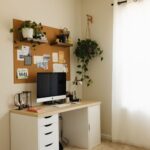



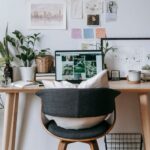


Creating a relaxing home workspace is essential for maintaining focus and productivity while working remotely or managing tasks at home. A comfortable and inviting environment can reduce stress, enhance creativity, and help you stay motivated throughout the day. Whether you have a dedicated room or just a corner in your living space, these tips will guide you in designing a workspace that supports both productivity and relaxation.
1. Choose the Right Location
The first step in setting up a productive home workspace is selecting a suitable location. Ideally, pick a spot that is quiet, has good natural light, and is free from frequent distractions.
– Natural Light: Position your desk near a window if possible. Natural sunlight helps regulate your body clock, boosts mood, and reduces eye strain.
– Away from Noise: Avoid placing your workspace near noisy areas like the kitchen or TV room.
– Dedicated Space: Create a dedicated area solely for work to separate your professional and personal life.
2. Invest in Comfortable Furniture
A relaxing workspace starts with comfortable and ergonomic furniture.
– Ergonomic Chair: Choose an adjustable chair that supports your lower back, allowing you to sit comfortably for hours.
– Proper Desk Height: Opt for a desk that matches your height to prevent strain on your wrists and shoulders.
– Foot Support: Consider using a footrest to improve posture if your feet don’t comfortably reach the floor.
3. Optimize Your Lighting
Good lighting is crucial for reducing eye fatigue and creating a calm atmosphere.
– Balanced Lighting: Combine ambient lighting with task lighting. Use a desk lamp with adjustable brightness to focus light where you need it.
– Avoid Glare: Position screens and lights to minimize glare, which can cause headaches and discomfort.
– Warm Light: Use bulbs with warm color temperatures in the evening to help you relax and prepare for winding down.
4. Keep Your Workspace Organized
Clutter can increase stress and reduce productivity. Maintaining an organized workspace promotes a sense of control and calm.
– Declutter Regularly: Remove unnecessary items and papers that no longer serve a purpose.
– Storage Solutions: Use shelves, drawers, and organizers to keep supplies and documents neatly arranged.
– Daily Reset: Spend five minutes at the end of each workday tidying up your space.
5. Personalize Your Environment
Adding personal touches can make your workspace more inviting and motivating.
– Plants: Indoor plants improve air quality and add a touch of nature, which is soothing.
– Artwork and Photos: Surround yourself with inspiring images and meaningful decor.
– Comfort Items: A cozy blanket or cushion can make your space feel warm and welcoming.
6. Minimize Distractions
Creating a relaxing workspace means minimizing interruptions that pull your focus away.
– Turn Off Notifications: Use “Do Not Disturb” modes on devices during focused work periods.
– Headphones: Noise-canceling headphones can block out background noise.
– Clear Boundaries: Let others in your home know your work hours to reduce interruptions.
7. Incorporate Movement and Breaks
A comfortable workspace encourages healthy habits, including movement and taking breaks.
– Stretching Area: Reserve some space for quick stretches or simple exercises to relieve tension.
– Break Reminders: Use timers or apps to remind you to take regular breaks, promoting energy and focus.
– Standing Desk Option: If possible, alternate between sitting and standing while working.
8. Maintain Good Air Quality
Fresh air helps keep your mind clear and energy levels steady.
– Open Windows: When weather permits, allow fresh air to circulate.
– Air Purifiers: Use an air purifier if your home tends to be stuffy or if you have allergies.
– Humidity Control: Keep humidity levels comfortable to avoid dryness or discomfort.
9. Use Calming Colors and Scents
Colors and scents can subtly affect mood and focus.
– Color Palette: Choose calming colors like soft blues, greens, or neutrals for walls and decor.
– Essential Oils: Use diffusers with scents such as lavender or eucalyptus to promote relaxation (ensure scents are not overwhelming).
10. Technology Setup for Comfort and Efficiency
Your tech setup should support productivity without causing strain.
– Monitor Position: Place your monitor at eye level to prevent neck strain.
– Keyboard and Mouse: Use ergonomic options to reduce discomfort.
– Cable Management: Keep cords organized to reduce clutter and hazards.
—
Designing a relaxing home workspace is about creating an environment that balances comfort with functionality. By making thoughtful choices about location, furniture, lighting, and personalization, you can establish a space that helps you stay productive and comfortable throughout your workday. Remember, small changes can make a big difference in how you feel and perform when working from home.